01
We capture the public website
The audit captures the same public page a visitor sees, including desktop and mobile screenshots, page title, H1, CTAs, forms, contact details, schema, and metadata.
Exemple de rapport avec données d'exemple
Preview a real Wavefront report generated from an example website - including screenshots, scores, findings, and a priority action plan.
Example data · Same report structure customers receive · No client data shown
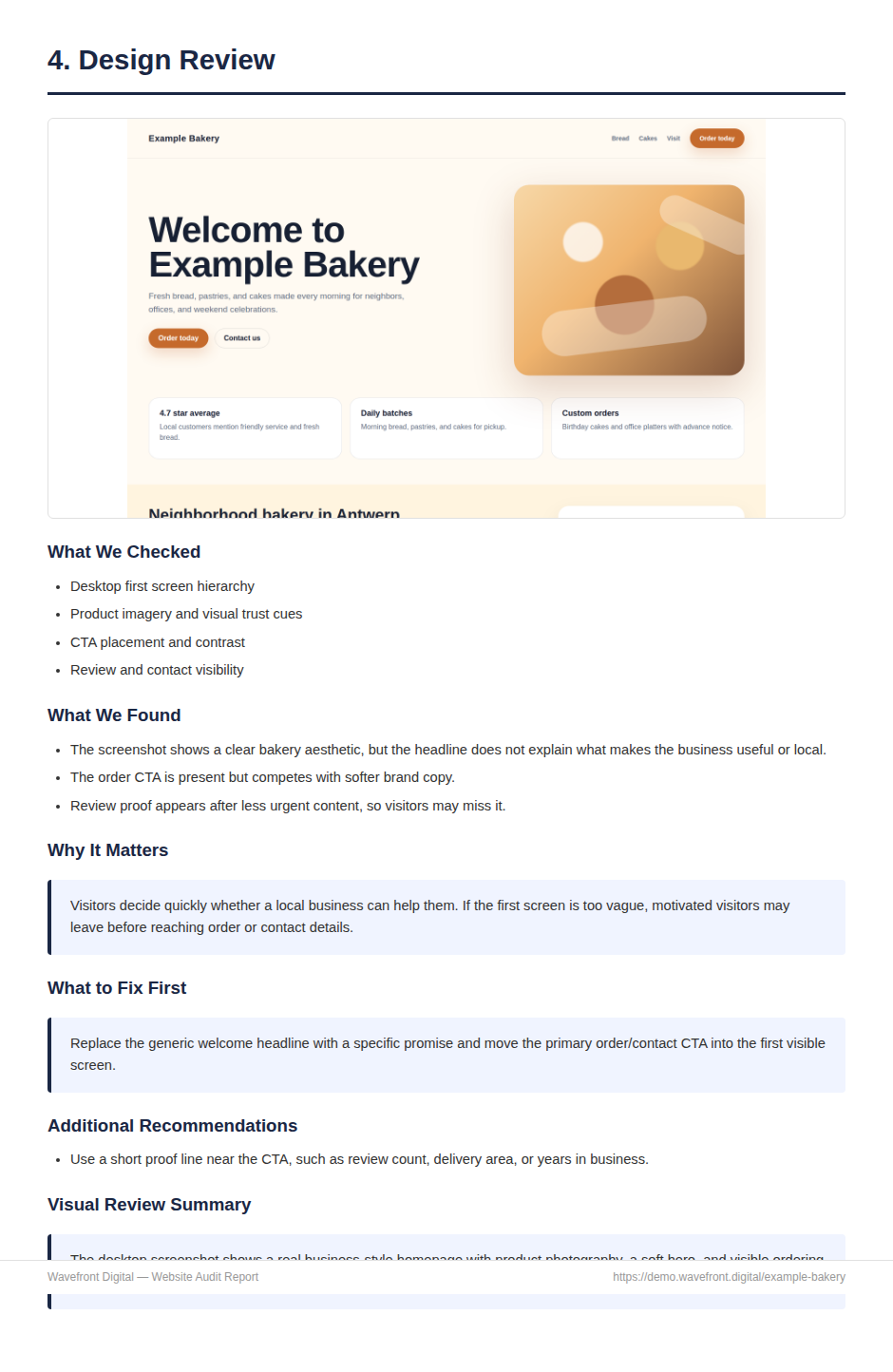
The audit captures the same public page a visitor sees, including desktop and mobile screenshots, page title, H1, CTAs, forms, contact details, schema, and metadata.
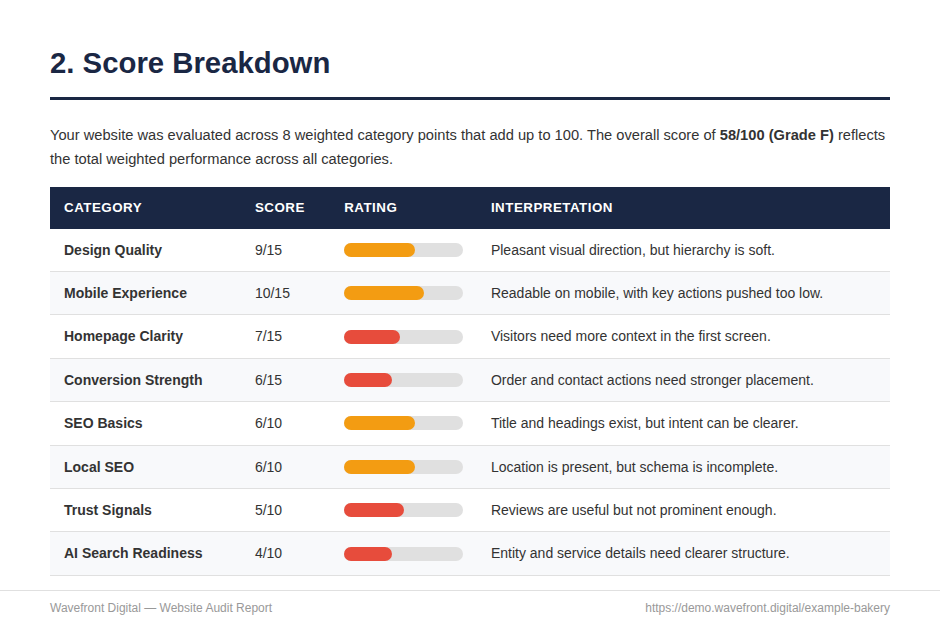
Design Quality, Mobile Experience, Homepage Clarity, Conversion Strength, SEO Basics, Local SEO, Trust Signals, and AI Search Readiness are scored against the same report model.
Findings reference actual page content, screenshots, CTAs, metadata, and technical signals instead of generic website advice.
Paid reports are reviewed before delivery so the recommendations are useful, clear, and tied to what was found.
The final PDF is delivered by email with score breakdowns, screenshot reviews, a priority action plan, and a recommended next step.
These PNGs are exported from the same HTML report template and sample data structure used by the paid PDF system.
Controlled demo website: examplebakery.com
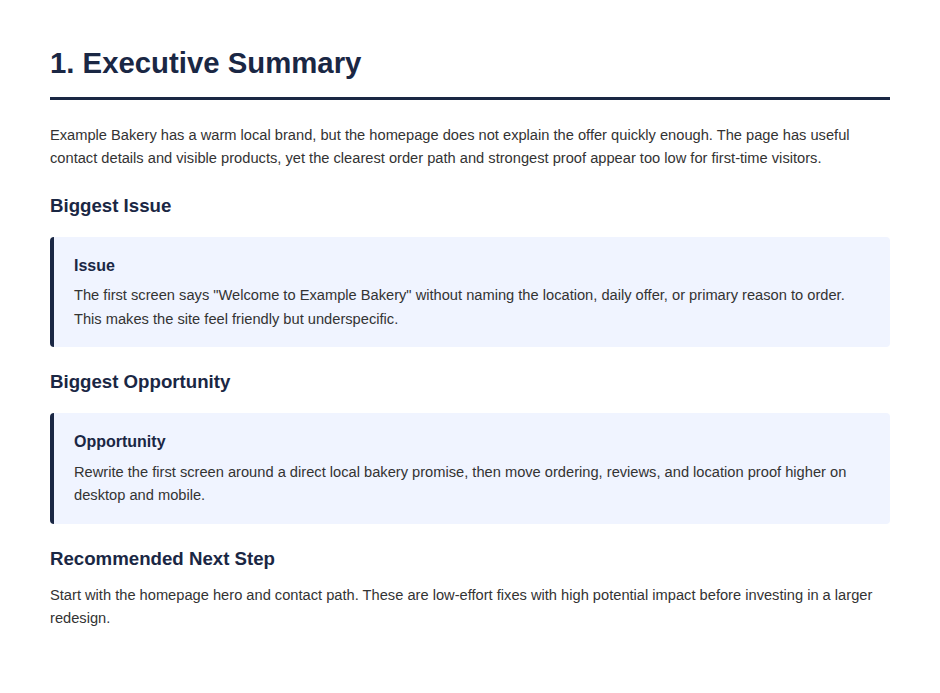
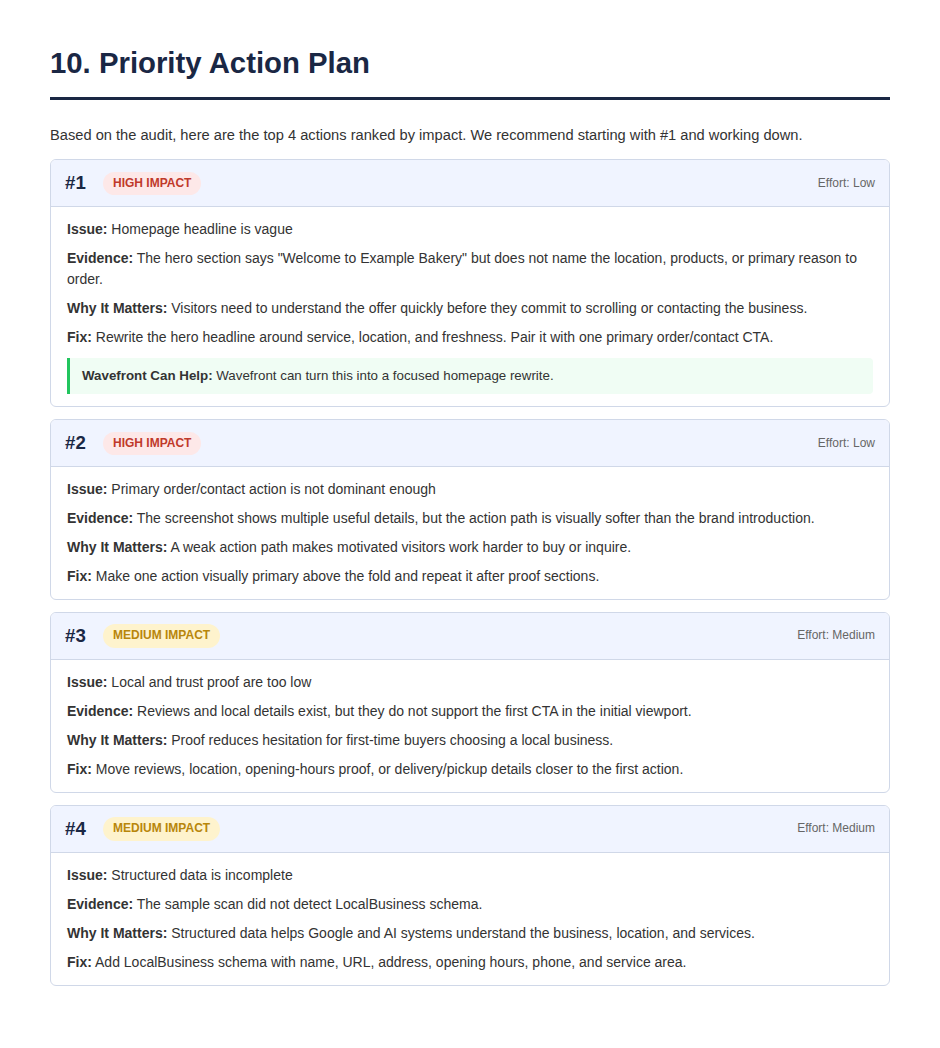
The hero section says "Welcome to Example Bakery" but does not name the location, products, or primary reason to order.
Recommended fix: Rewrite the hero headline.
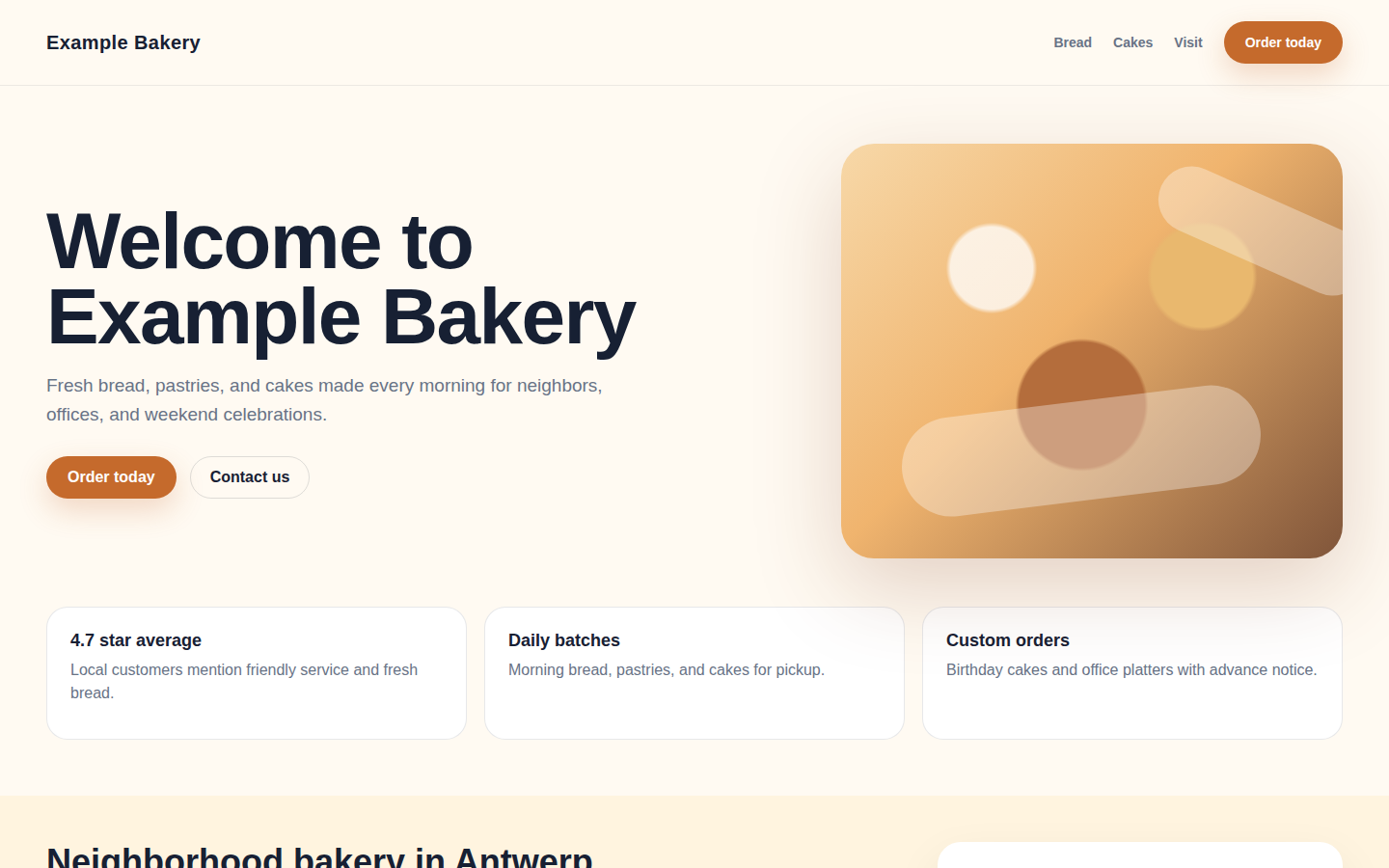
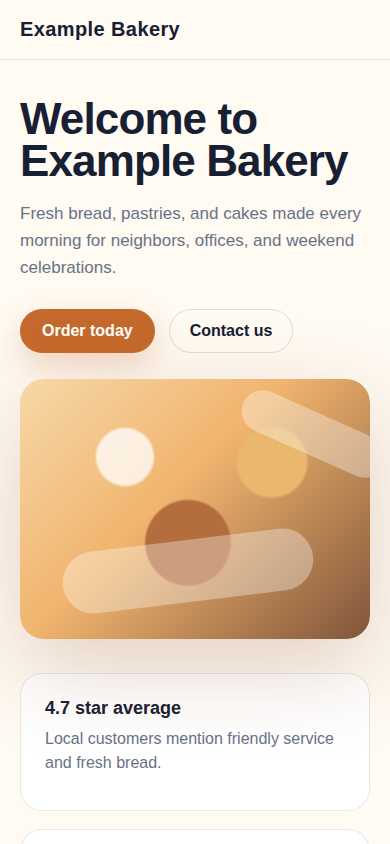
Example Bakery · Same report structure customers receive
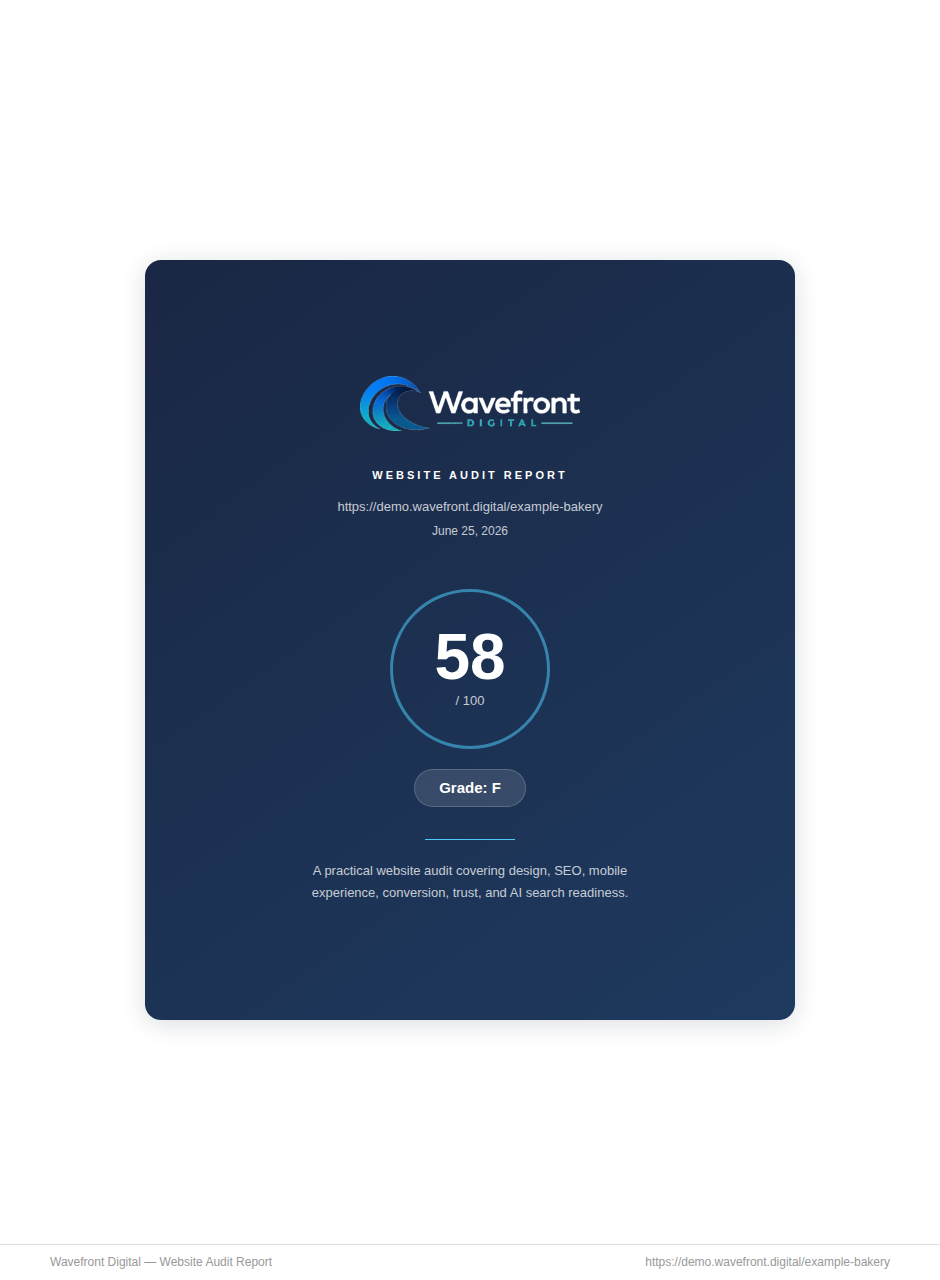
The full audit is built to turn scan data into decisions: what is hurting clarity, trust, conversion, search visibility, and what to fix first.
Whether the first screen explains the business, location, offer, and next step quickly enough.
Where CTAs, forms, proof, and contact details create friction or hesitation.
How the page behaves on a narrow viewport and whether key actions remain obvious.
Whether headings, metadata, schema, and entity details describe the business clearly.
A ranked action plan that weighs impact against implementation effort.
The €49 audit is prepared from your public website, reviewed by Wavefront, and delivered as a PDF you can act on.
See where your website stands. If the results show issues worth investigating, unlock the full report.
Get Free Website ScoreSample report score shown: 58/100 for a controlled example website.